
Blinkit is now India’s biggest and fastest growing Quickcomm with crores of customers making a purchase everyday. Everyday brands are onboarding on Blinkit to be a part of this growth ride. With competition rising, it becomes essential to run Ads on Blinkit to get ahead. In this blog, all the Blinkit ads assets that are available will be discussed. So read till the end, and you will know all there is to know about Blinkit ads.
Why Blinkit Ads?
- Premium Audience Access
- Reach a young, affluent, and evolved customer base
- Tap into an audience that is digitally active and purchase-ready
- Smart Targeting & Efficiency
- Leverage advanced targeting capabilities to reach the right users
- Optimize ad spends with precision-led campaign controls
- Full-Funnel Marketing Impact
- Engage customers at every stage of the journey:
- Discovery → Consideration → Conversion → Retention
- Performance & Insights
- Track success with detailed analytics
- Access robust reporting tools to measure and refine performance
Blinkit Ads Capabilities?
- Time-Based Targeting
- Boost ad performance with smart Time-of-Day targeting
- Ensure your message reaches the right audience during peak consumption hours
- Geography-Based Targeting
- Increase engagement by targeting hyper-local markets
- Boost ad relevance through region-specific campaigns that connect better with local audiences
- Cohort Based Targeting
- Reach your ideal audiences by targeting based on detailed user personas
- Customize ads for specific demographic and behavioral cohorts to maximize relevance and impact
Campaign Objectives on Blinkit?
Blinkit Ads are categorized into two asset – Reach and Performance. Both has different use cases and capabilities.
- Reach
- Dynamic Visual Campaigns.
- Increase brand awareness across Blinkit’s audience.
- Highlight unique brand features to stand out in the market.
- Boost Share of Voice (SOV) within your category.
- Enhance brand recall and visibility among relevant shoppers.
- Performance
- High impact, result driven assets.
- Drive sales by tapping into high-intent shoppers.
- Acquire new customers and deepen loyalty with existing ones.
- Leverage purchase intent to turn views into conversions.
Reach
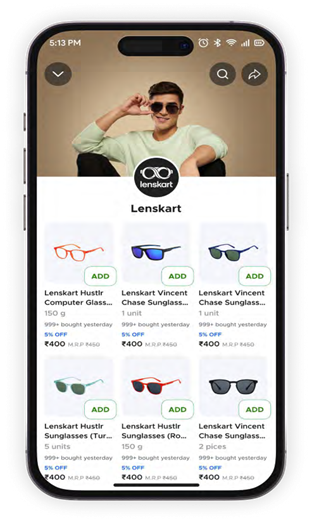
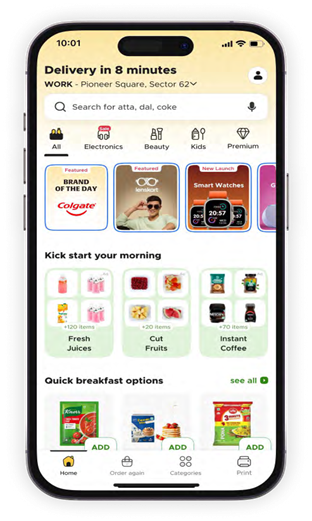
Stories
Drive brand awareness & engagement with 3 million+ daily users
- Highlight new product launches on this popular short-form content to drive awareness
- Build relevance for your brand during peak season or time of relevance
- Showcase your brand on the top fold on the “Brand of the Day” slot to reach a larger audience
ENTRY POINT IN CUSTOMER JOURNEY – All & featured feed
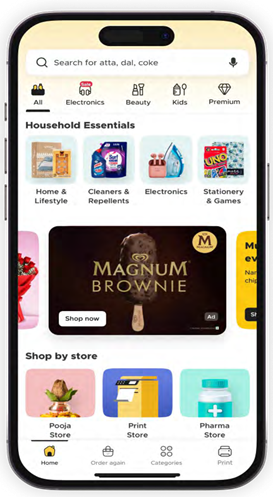
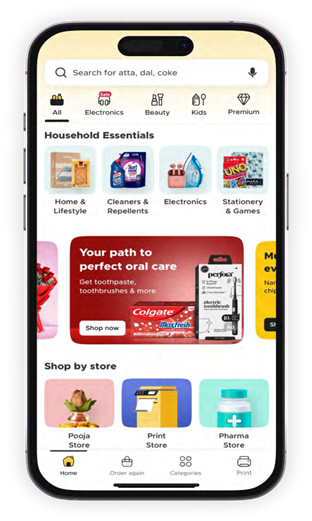
Homepage Discovery Banner
Leverage customers’ intent to discover
- Use offer callouts or promote new product launches
- Increase share of voice by showcasing the USP of your range & telling your brand story in a gist
- Appeal to the explorer customer persona as they navigate the homepage
ENTRY POINT IN CUSTOMER JOURNEY – Home Page
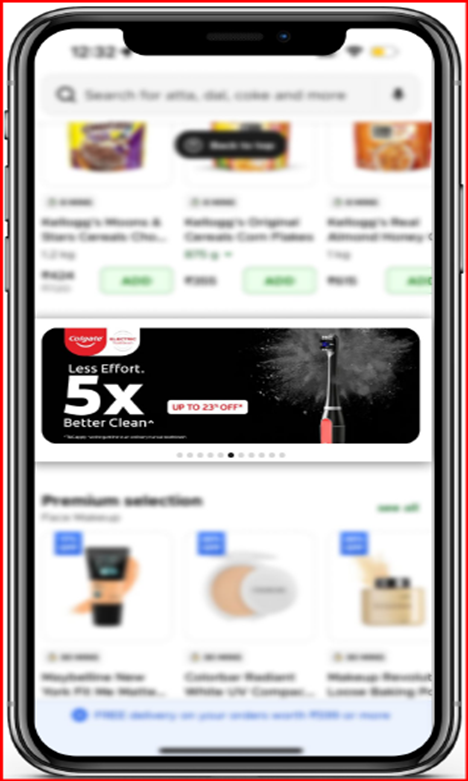
Carousel Banner – Image & Video
Also known as Prime Banner or Masthead Static
- The first property customers see on launching the app
- Maximize brand visibility with a prominent homepage position.
- Present your brand’s unique value proposition, promote hero products and generate brand buzz
- Appeal to all customer typologies as they explore the homepage with top of the mind recall value
- Boost engagement and click-through rates with optimized placement in the new feed.
- Run a 10-seconder video, highlighting your brand story to increase engagement with customers.
ENTRY POINT IN CUSTOMER JOURNEY – All & featured feeds
Brand Spotlight
Highlights the brand in the niche category, differentiating it from the rest, widening the brand dynamics, and acquiring new customers.
- Can Leverage the platform to get discovered and increase visibility
- Get new customers to engage with your brand and widen customer acquisition channel
- Reach a young demographic which seeks a new and unique brand proposition
- Build brand loyalty by providing value-add through discounts.
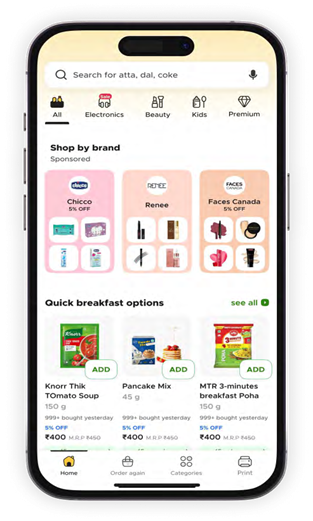
ENTRY POINT IN CUSTOMER JOURNEY – All & featured feeds
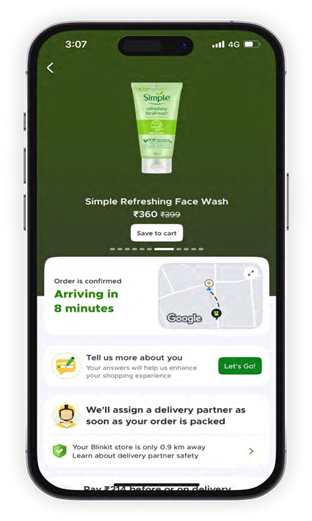
Track Order Banner
Drive awareness & engage with 1 million+ daily transacting users
- Dominate post-checkout visibility with a large, eye-catching banner
- Maximise attention for new launches or product ranges
- Strengthen brand recall and encourage future purchases with an option to save the product to the customer’s cart
ENTRY POINT IN CUSTOMER JOURNEY – Order Tracking Page
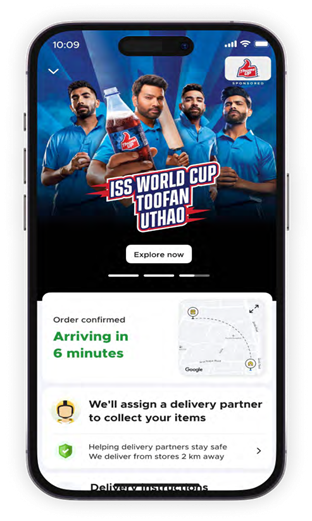
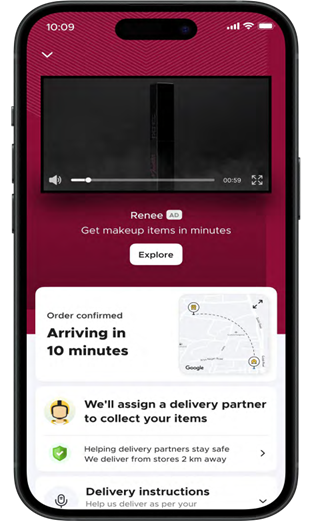
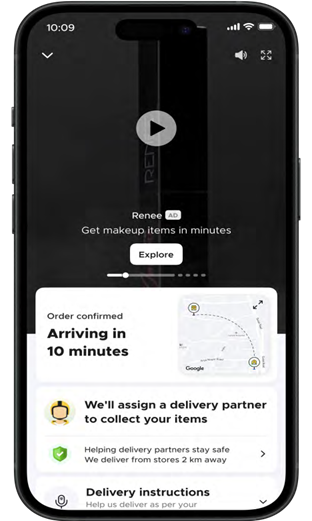
Track Order Video
- Strategically position your brand with video banner that can expand to full screen
- Enhance your brand recall with immersive audio support
- Target a relevant audience basis their cart behaviour
ENTRY POINT IN CUSTOMER JOURNEY – Order Tracking Page
Category Highlight
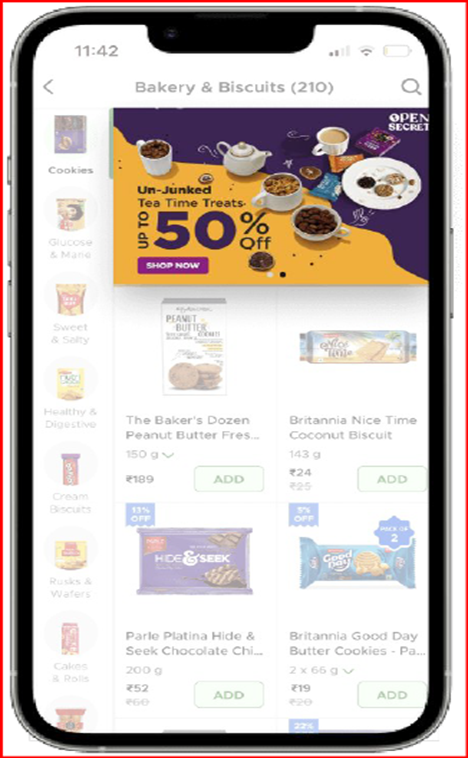
Also known as In-store Banner
Strategically position your brand for focused promotion, on the top fold within your category
- Leverage contextual creatives to promote products or new launches or your entire portfolio within a category
- Maintain real-estate coverage & top of the mind dominance by standing out from competitors
- Appeal to category focused customers and match with existing and potential audiences
- Build cross-category visibility by featuring in related affinity categories
ENTRY POINT IN CUSTOMER JOURNEY – Category Page
Push Notification
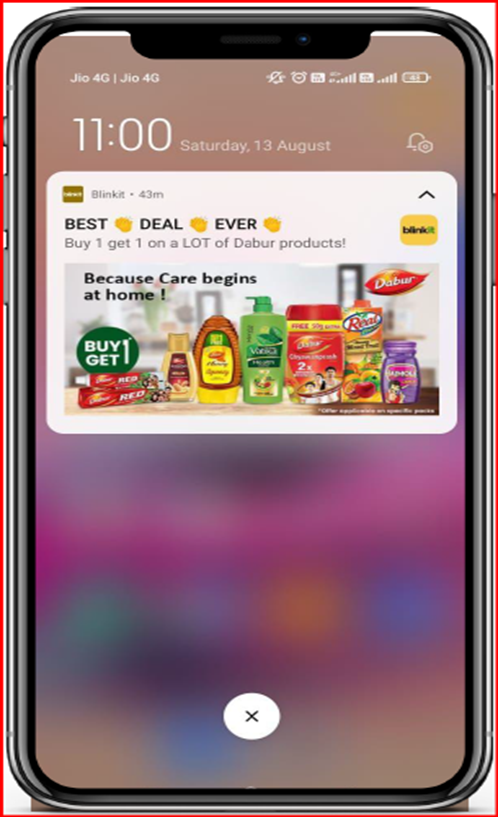
Personalize your messaging to customers
- Leverage creatives and witty messaging to push customers into engaging with your brands
- Boost Conversion with targeted offers and updates
ENTRY POINT IN CUSTOMER JOURNEY – Off – App
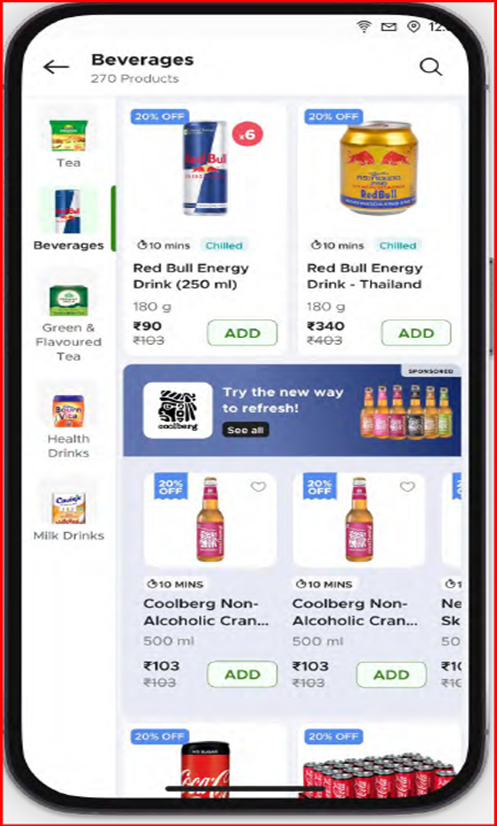
Listing Spotlight
Blinkit’s listing spotlight ads let brands promote their portfolio of products in a single carousel format. The platform helps you seamlessly reach Blinkit’s shoppers and drive targeted brand awareness, product discovery, and purchase intent throughout the customer journey.
This unique carousel (also known as a collection) format of these ads enables the brand to showcase multiple products in one place while also displaying products from its parent company, and users can click on ‘See All’ to explore all products in detail. Additionally, you can promote your products across multiple categories with PLP.
Brands can create customized creatives with attractive messaging of up to 30 characters and can also create a GIF along with their logo to attract customers to visit their page. The banner appears, and landing pages can display multiple products or the entire catalogue.
- Enhance brand visibility and acquire new customers through search
- Leverage high intent shopping behaviour by showcasing your brand in contextual searches
- Highlight your brand’s unique voice and topical campaigns
- Use this ad asset via self-serve portal
ENTRY POINT IN CUSTOMER JOURNEY – Search Page
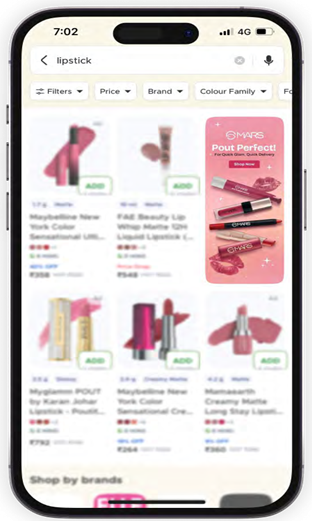
The requirements for listing spotlight ads are as follows:
- Creative Dimension: 208 px (length) x 530 px (height)
- Primary content must be placed within a safe content space, i.e., 160 px x 362 px.
- Plain background colours or textures should be used in the padding area.
- Font size should be above 12 pixels for readability.
- Avoid using pricing in the creatives and infographics, as the pricing is dynamic and it fluctuates multiple times.
- Refrain from using terms and conditions on banners.
Brand Booster
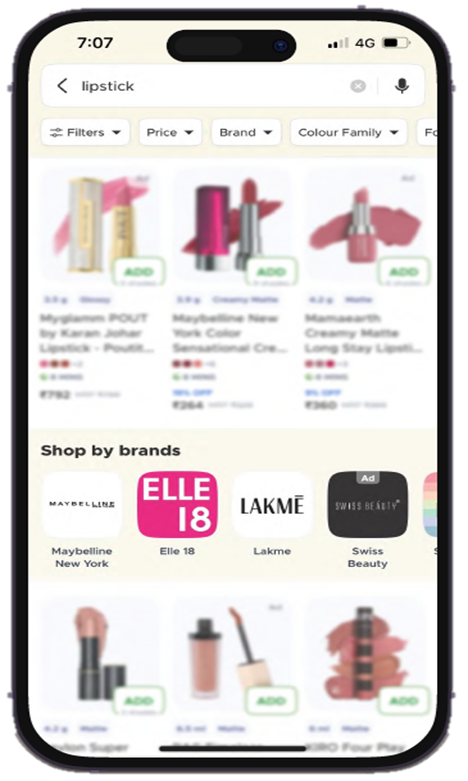
- Enhance your brands visibility on search and category listings
- Utilize targeted keywords and strategic placements to stand out in category and search listings
- Drive better discovery and brand recall and make it easier for customers to find you.
- Use this ad asset via self-serve portal
ENTRY POINT IN CUSTOMER JOURNEY – Search Page
Brand Reach Reports
You can Track the reach of your campaigns and get measurable insights with the following metrics
- Impressions – Number of times your ad was viewed
- Reach – Number of unique customers who saw your ad
- Click through rate – Number of customers who clicked on your ad
Performance
Brand Shelf
Branded real estate for powerful product campaigns. With Compelling story-telling and product catalogue under one section on the homepage help with stronger brand share and presence.
- Showcase your entire range with easy to access entry points on the homepage
- Create multiple propositions and campaigns to build stronger brand share and presence
- Engage customers with your brand story and acquire new customers
ENTRY POINT IN CUSTOMER JOURNEY – All & featured feeds
Add to Cart Shelf
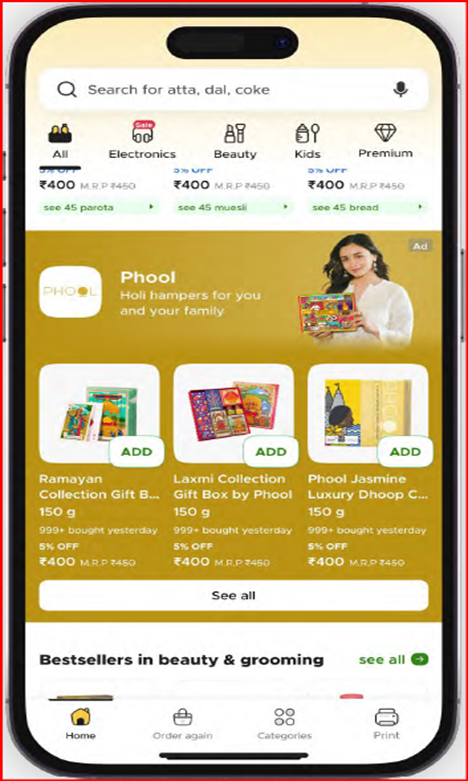
Also known as Direct to Cart Shelf or Product Shelf. Products are displayed on the homepage with a direct add-to-cart option, reducing friction and encouraging instant purchases.
- Drive immediate sales with a direct call to action for cart addition
- Boost top products and offers in a prominent homepage position
- Drive awareness and incremental conversion to exploratory users on the homepage
ENTRY POINT IN CUSTOMER JOURNEY – All & featured feeds
Brand Showcase
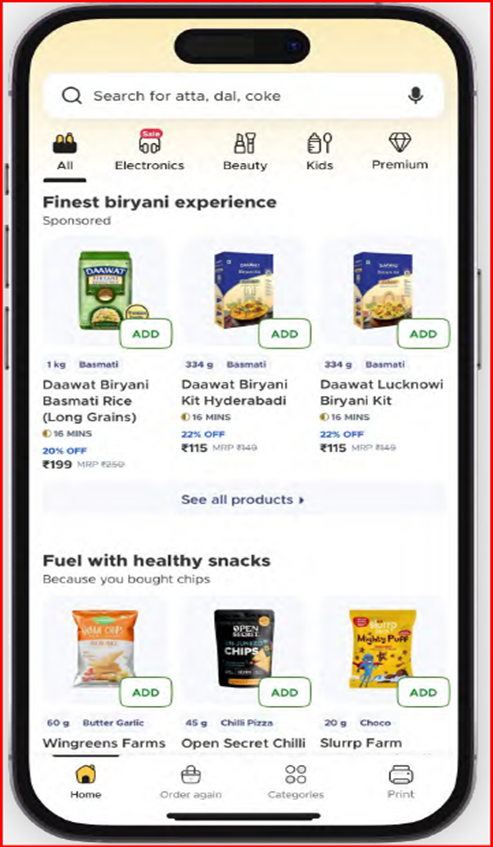
- Increase your brand’s share of voice within a specific category
- Highlight your full product assortment to drive consideration and conversion
- Gain prominence for under-indexed brands with focussed category placement
ENTRY POINT IN CUSTOMER JOURNEY – Category Page
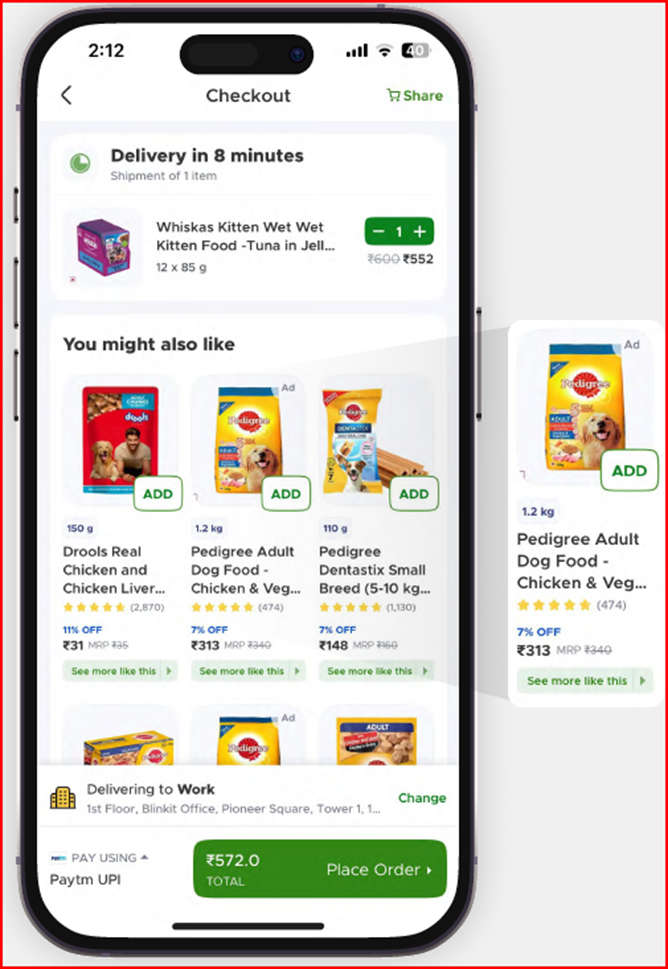
Cart Injection
Also known as Before you Checkout Asset. It is visible on the checkout page with recommended products to increase conversion.
- Influence purchase decisions at the checkout with targeted ads
- Encourage additional purchases through strategic cart placement for lower ASP products
ENTRY POINT IN CUSTOMER JOURNEY – Cart Page
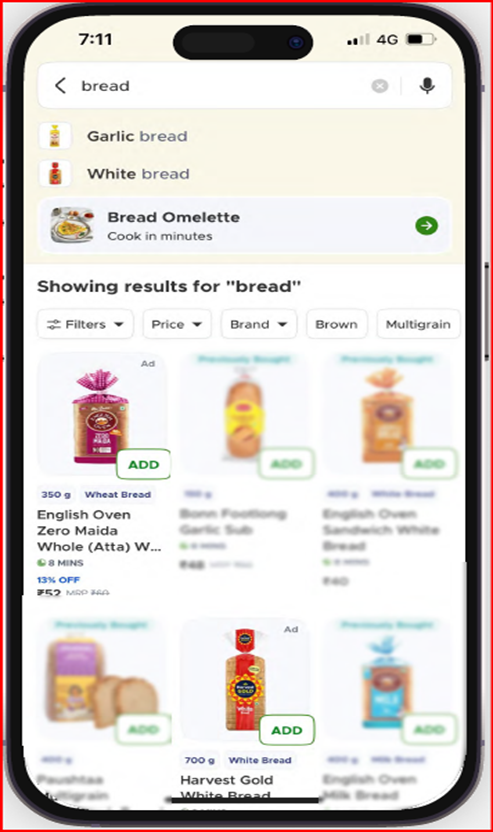
Product Booster
Blinkit’s Product Booster Ads help brands promote specific products to relevant shoppers in a non-intrusive format, similar to Google Shopping ads. Advertisers can target via keywords (e.g., “Garlic Breads,” “Breads”) or categories (e.g., Dairy, Eggs & Breakfast). Multiple products can be clubbed so that if one goes out of stock, a backup product is automatically shown.
- Boost your product’s search and category listing performance
- Bring you best selling products to top of search and build better visibility among high intent users
- Boost visibility of new launches and star products
- Available targeting – Keyword and Category
- Available via self-serve
ENTRY POINT IN CUSTOMER JOURNEY – Search & Category Page
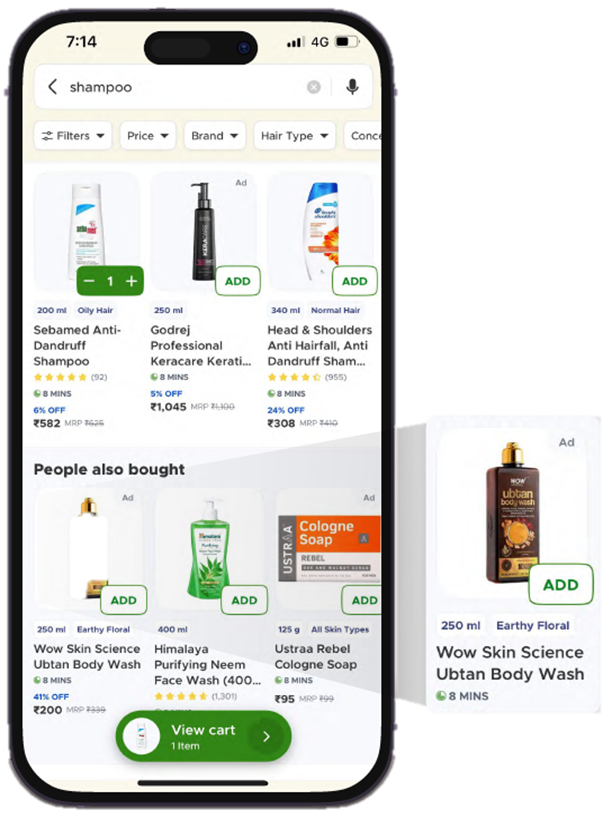
Recommendation Ads
Recommendations are the most effective Blinkit Ads to use when you want to leverage algorithm to work for you.
- Boost your product’s performance in recommendation engines
- Inject recommendations across various points in the user journey – across search, category and check out
- Complimentary product recommendations ensure high intent potential for conversion
- Available targeting options – Repeat Order Suggestions (Re-targeting, New User Targeting), Cart Recommendations, Next Product Recommendations & Similar Product Recommendations
- Available via self-serve
ENTRY POINT IN CUSTOMER JOURNEY – Search, Category & Cart Page
Performance Growth Measure
You can track the performance of your campaigns and get measurable insights with the following metrics
- Impression – The number of times your ads was viewed
- Add to Cart – Direct and indirect ATC
- Sales – Direct and indirect sales
- ROAS – Return on Ads spends
- New User Acquisition – New users acquired by the brands through the campaigns
Blinkit Ads : Challenges & Best Practices
Challenges Faced While running Blinkit Ads
- High Competition: Strong brand presence drives intense bidding and higher ad costs
- Ad Fatigue: Repeated exposure can reduce engagement over time
- Limited Targeting Precision: User behaviour data is more restricted compared to platforms like Google or Meta
- ROI Measurement: Attribution can be challenging due to Blinkit’s unique customer journey
- Creative Restrictions: Fixed guidelines limit flexibility in design experimentation
Best Practices for Advertising on Blinkit
- Adopt Data-Led Targeting: Segment campaigns using available purchase behaviour insights
- Refresh Creatives Frequently: Regular A/B testing helps prevent ad fatigue
- Use Localised Messaging: Tailor content to suit hyperlocal preferences
- Actively Monitor Budgets: Reallocate spends toward high-performing campaigns quickly
- Leverage Offers & Discounts: Promotions drive faster action in a competitive environment
You can purchase ebook for this blog through this link.